Thousands of photos.
Skip the endless scrolling.Cull thousands of photos with AI —
then enhance the keepers.
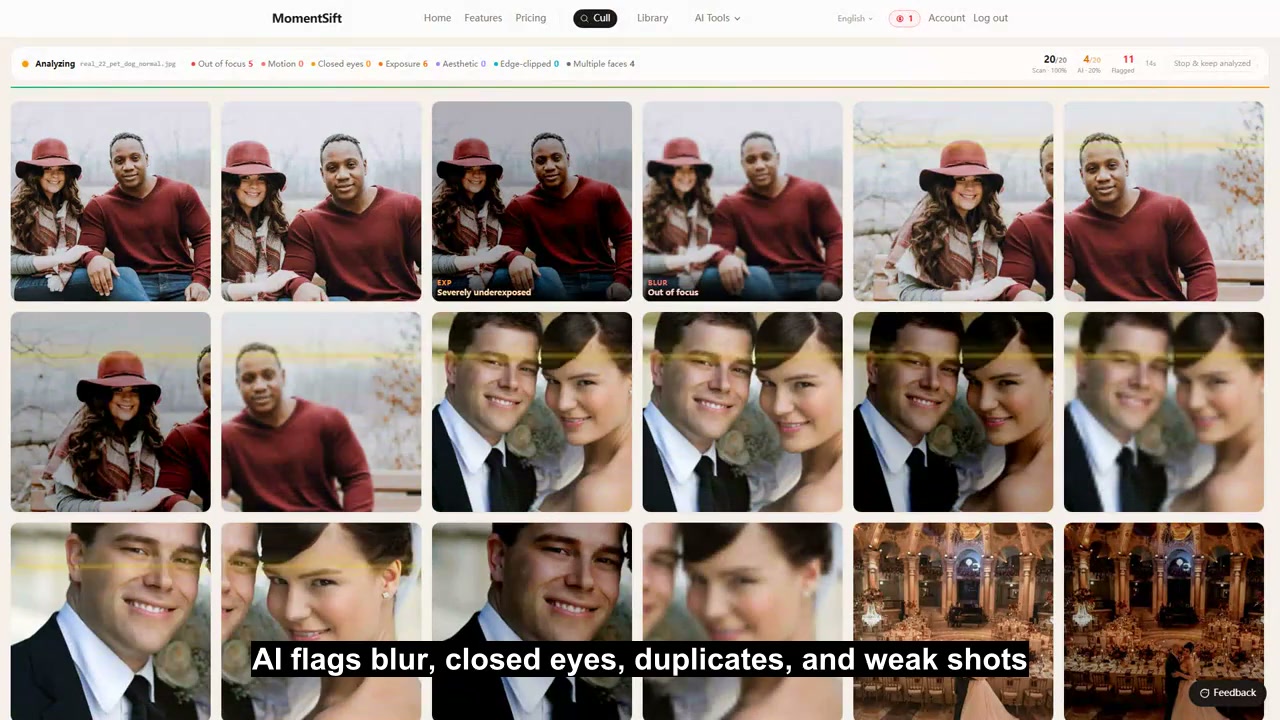
Drop in a folder. AI flags blurry, closed-eye, and duplicate shots — then you choose the keepers.
Free trial: 100 photos + 10 AI credits · No card required
Cull, enhance, and create in one connected workflow
Bring in a full shoot, let AI organize it, confirm your picks, then enhance, create, and deliver
Bring in the whole shoot
Open a folder from your drive or select photos in your mobile browser — no desktop app required.
Let AI screen and organize
AI detects blur, closed eyes, and exposure issues, groups photos by scene, and flags obvious rejects ahead of time.
Confirm the best shots quickly
Compare similar photos side by side and decide with arrow keys or A/D, with skip and undo always available.
Enhance or keep creating
Upscale, restore faces, and retouch your picks, or continue with text-to-image and reference-based creation.
Deliver in the original format
Export a ZIP or write to a local folder, with optional Lightroom XMP ratings ready for post-processing.
Enhance right after picking — no need to switch apps
Start AI processing on your picks in one click — flexible enough for any scenario
 Before
 After
AfterDenoise & 4x Upscale
Recommended for any photo — smart denoising plus a 4x resolution boost, with every detail brought out.
 Before
 After
AfterFace Restoration
Purpose-built for blurry or damaged faces — automatically restores facial detail, a must for portrait photography.
 Before
 After
AfterNatural Portrait Retouching
Enhances skin tone and facial detail while staying natural — great for portraits and wedding photography.
The finished set is yours, and so are your originals
No third-party software required to deliver — local-first the whole way
Bulk Export Originals
Pack your picks' original files into a local folder or a ZIP in one click, organized by person or scene if you like.
Lightroom Rating Sync
Export .xmp files — your picks show up with a 5-star green label automatically, ready for Lightroom post-processing.
Originals Never Uploaded
Basic detection runs locally; AI analysis only uploads a preview image and discards it right after. Your full-resolution originals stay on your drive — never uploaded.
Originals Only Upload for Enhancement
Only the content needed for AI Enhancement or Text-to-Image gets uploaded. Remote files are typically cleared after 7 days; successful results are saved to your local library.
FAQ
What is MomentSift?
Is it completely free?
Do my photos get uploaded to a server?
What photo formats are supported?
Could AI cull the wrong photos?
Do I need to install any software?
Where is my MomentSift library stored?
Which browser should I use for large photo batches?
From a pile of photos to a finished set — try it today
Start for free, no install needed, works right in your browser